About Project
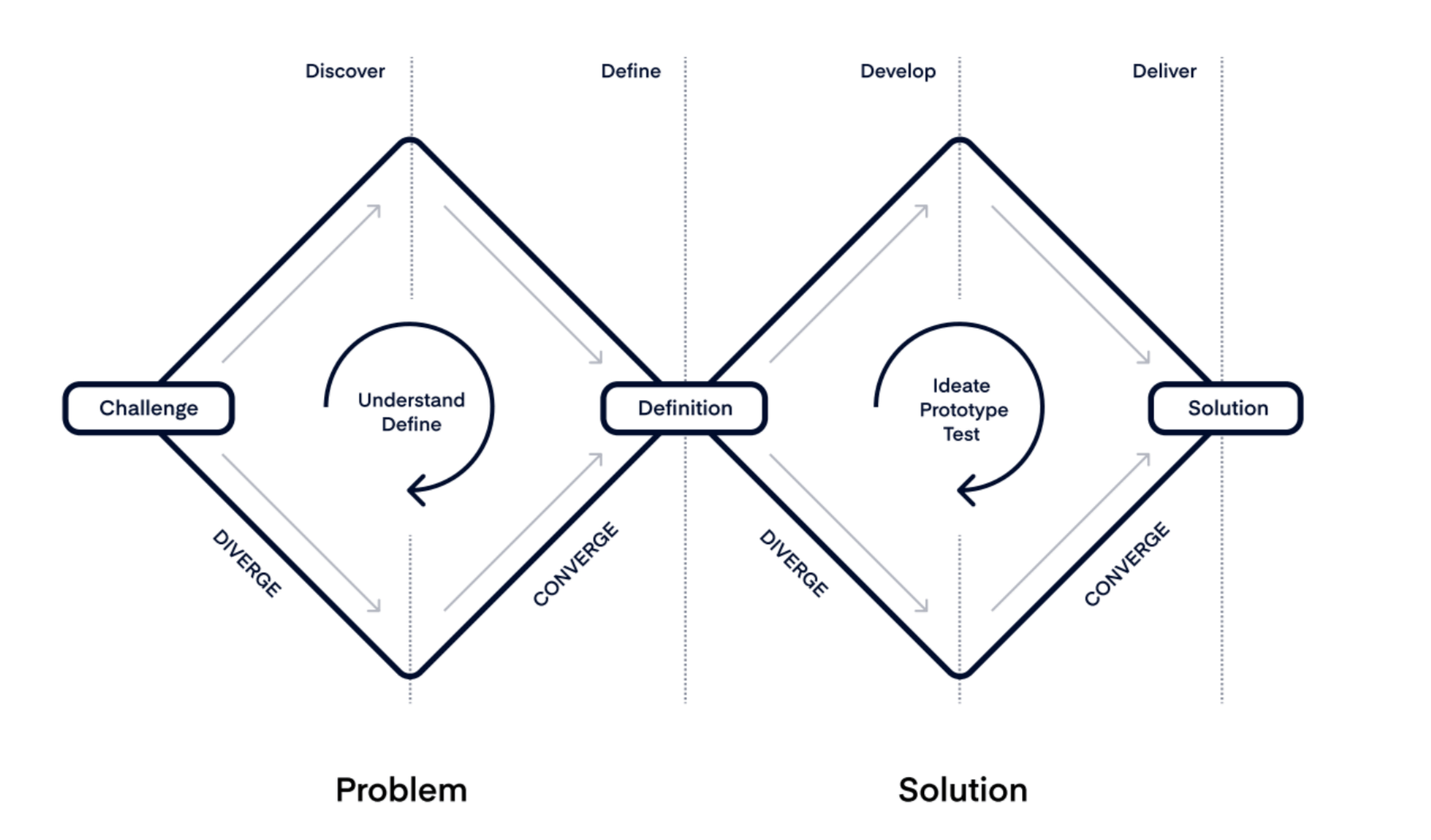
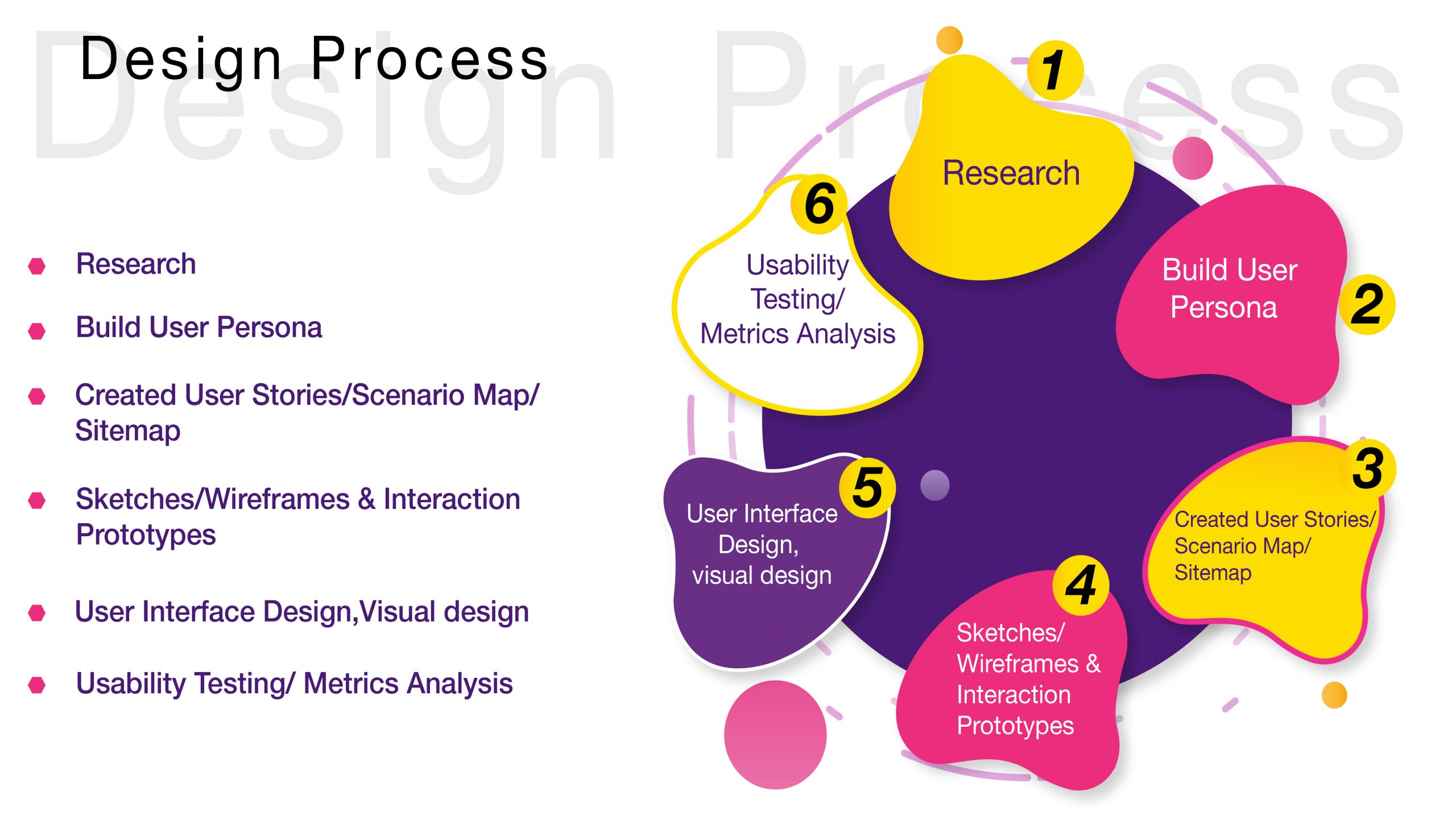
Undertaking my Grad School Capstone project, I embarked on a challenging solo endeavor, investing an extensive 12-week timeframe in the meticulous execution of the project, guided by the proven Double Diamond design methodology. This methodical approach guided me through the multifaceted stages of Discovery, where I delved into exhaustive research and exploration, Definition, where project parameters underwent meticulous refinement, Design, where innovative and creative solutions were conceptualized, and, ultimately, Delivery, marking the culmination of the project.
This comprehensive and structured progression not only facilitated a deep dive into the exploration of ideas but also ensured a well-rounded and thoughtfully crafted outcome. The process demanded a synthesis of analytical thinking, creative ideation, and effective project management, ultimately contributing to the successful completion of my Grad School Capstone project.
Background
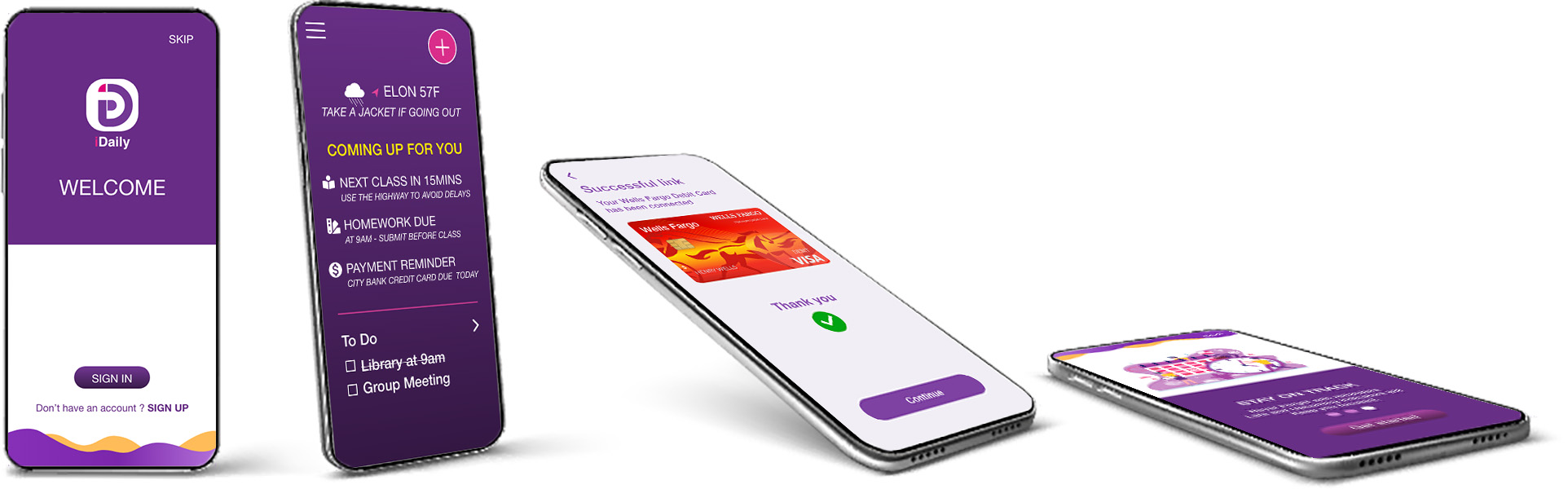
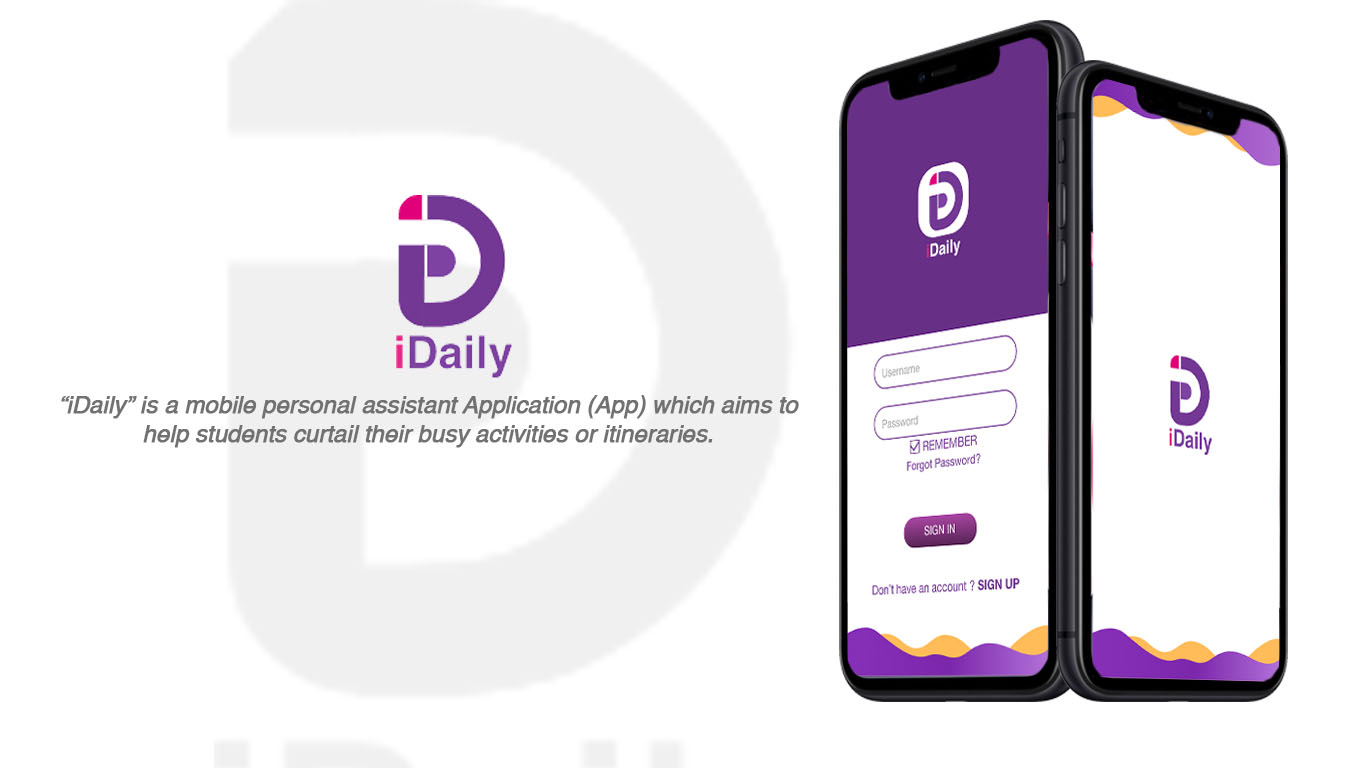
The mobile assistant app, iDaily, is designed specifically for college students to manage their busy schedules. While there are many mobile assistant apps available, none have targeted this particular demographic.
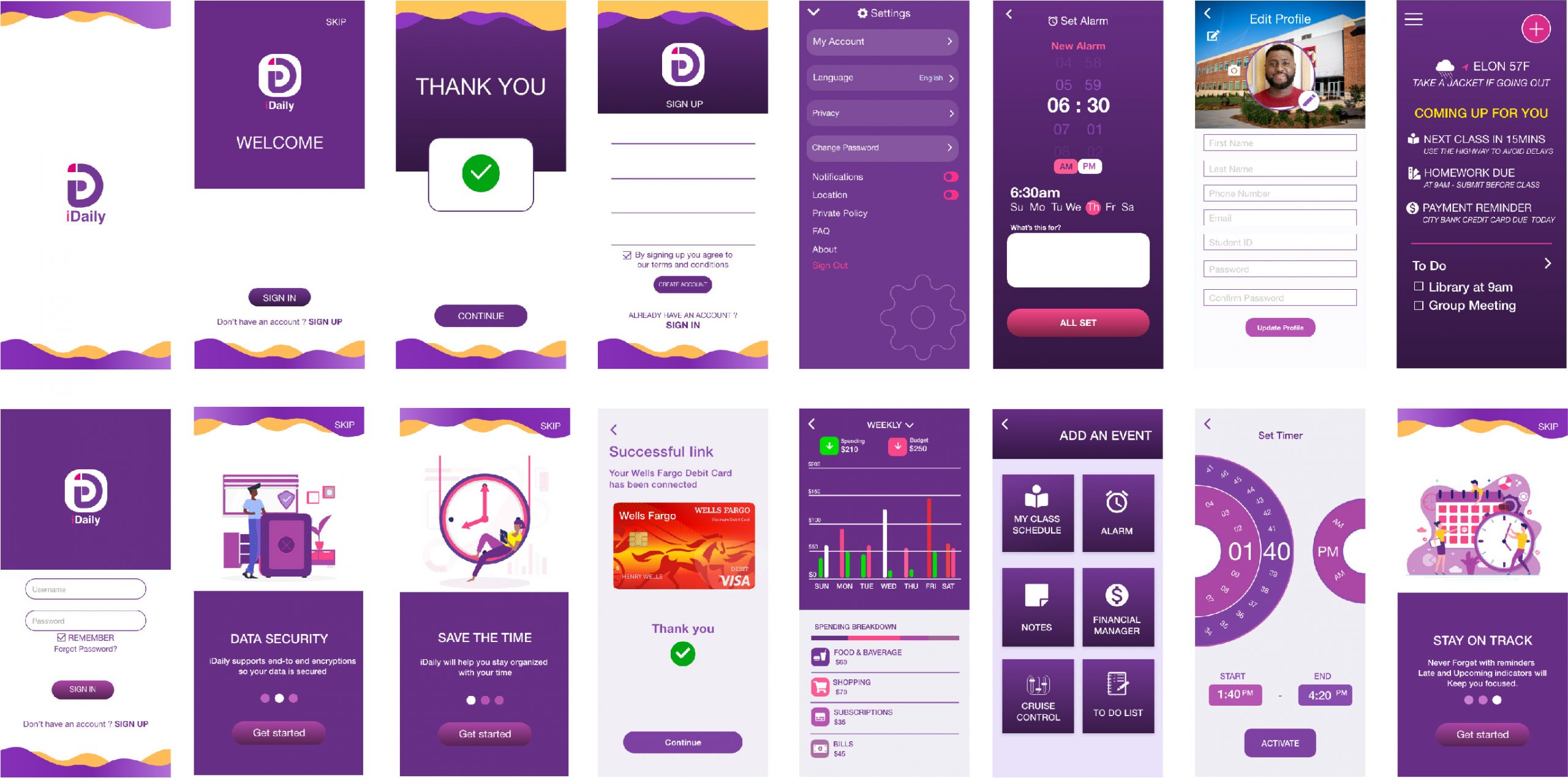
The app was designed after exploring several assistant apps to determine what features would be most useful to college students. The order of importance for features evolved over time, with class schedule, personal alarm, simplified notes, financial manager, and a special feature called “cruise control” is included.
One unique feature of Daily is the introduction of cruise control, which helps students stay focused during classes and meetings by disabling social media notifications. Additionally, the financial manager feature sets Daily apart from other personal assistant apps. The launch of iDaily is significant for college students and is expected to have a positive impact on their productivity and time management.
In addition to the features mentioned earlier, iDaily also allows students to set reminders for important deadlines and events, as well as track their progress on various tasks and projects.The app also has a user-friendly interface, which makes it easy for students to navigate and use its different functions.
One of the key advantages of iDaily is its ability to be customized to the individual needs of each student. For example, students can choose their own personal preferences for the app’s color scheme, font size, and other settings. This flexibility allows students to tailor the app to their own unique needs and preferences.
Moreover, iDaily is designed to be highly accessible, with features like voice commands and screen reader support. This makes it easier for students with disabilities to use the app and stay on top of their daily tasks and responsibilities.
Overall, Daily is an innovative mobile assistant app that addresses the specific needs and challenges faced by college students. Its user-friendly design, unique features, and customizable settings make it a valuable tool for improving productivity and time management.
Typography holds a significant role in the intricate process of crafting mobile apps, and for reasons of reliability and safety,
The selection of Helvetica was deliberate, guided by its widespread eligibility and preloading on major operating systems like iOS and Android. This widespread integration ensures a consistent and dependable font experience for users navigating various platforms. As a sans-serif font, Helvetica leans towards a modern aesthetic while maintaining a fundamental simplicity. This duality makes it adaptable to a spectrum of design styles, seamlessly fitting into both contemporary and traditional visual contexts. Helvetica’s enduring popularity in mobile app development can be attributed to its ability to strike a harmonious balance between modernity and simplicity, catering to diverse design preferences and user experiences.
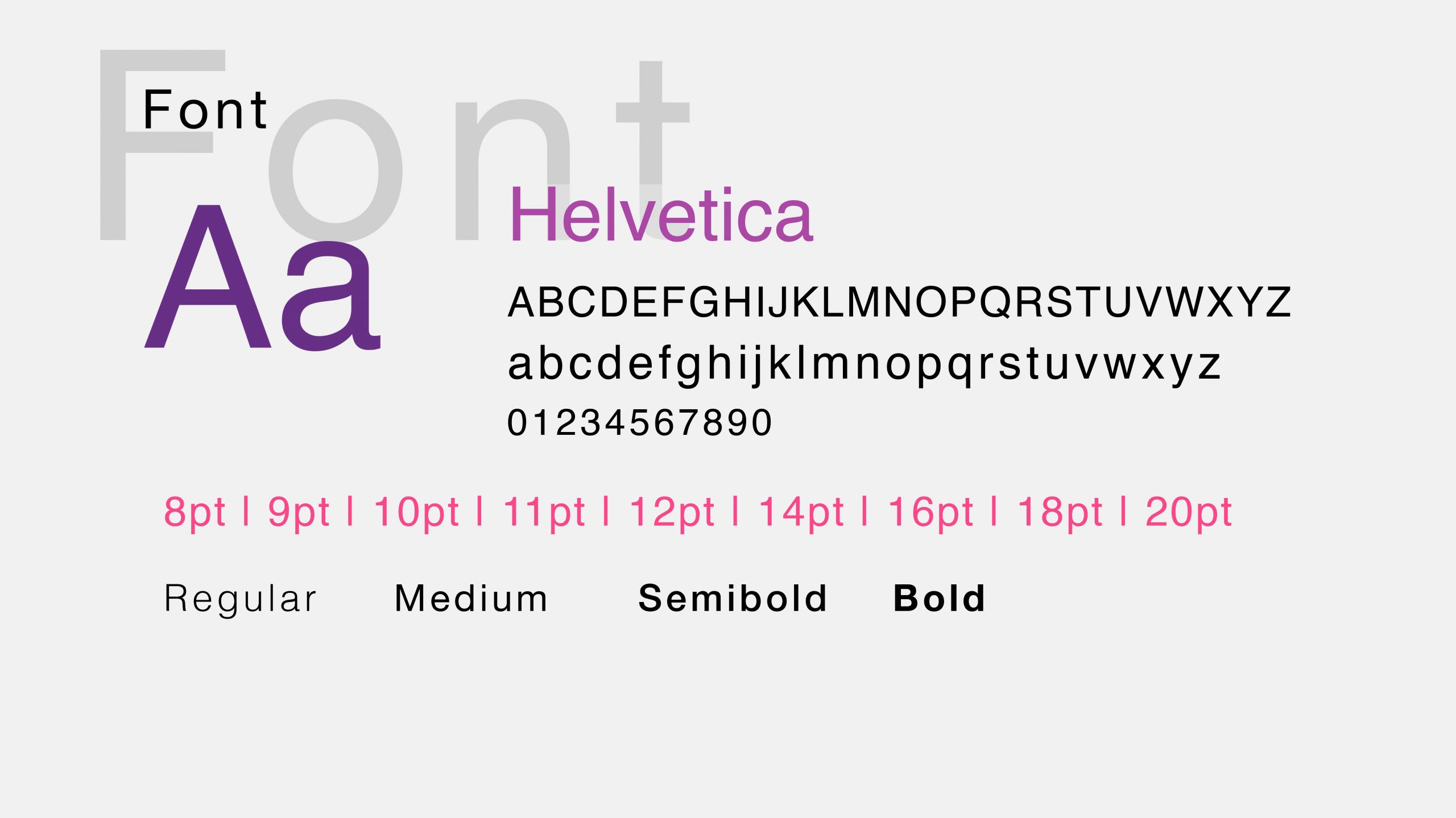
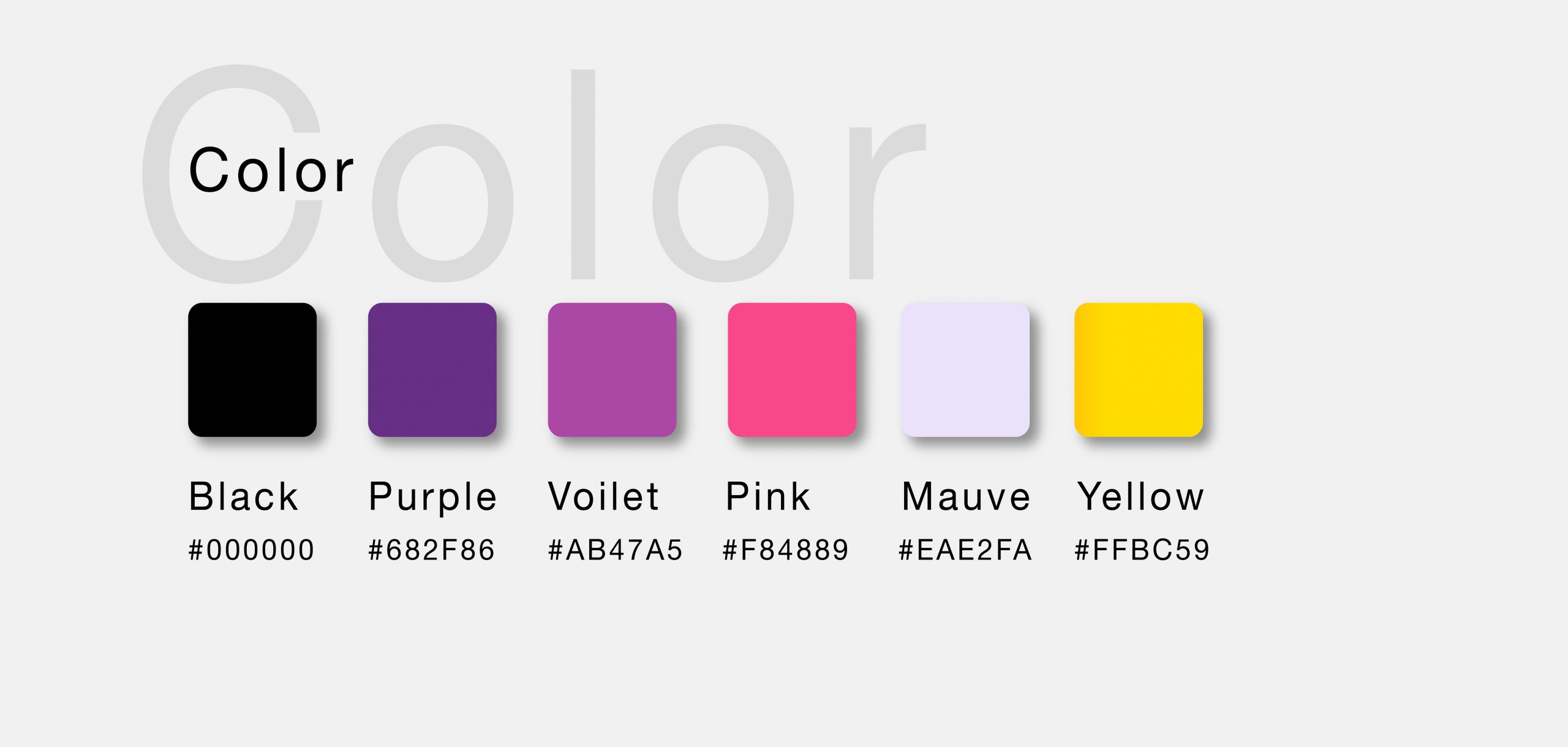
In shaping the theme colors, a deliberate choice was made to center the palette around a harmonious blend of purples and yellows, further enriched by the addition of complementary tones in pinks and additional shades of purples. This thoughtful selection of colors is not only visually pleasing but also aimed at creating a cohesive and engaging aesthetic.
The strategic incorporation of darker hues in the color scheme serves a dual purpose. Firstly, it contributes to a visually comforting experience, especially under conditions of heightened phone brightness. This consideration is crucial for ensuring a user-friendly interface that remains easy on the eyes even in well-lit
environments. Secondly, the introduction of brighter colors, such as the vibrant pink and subdued mauve, serves as a deliberate contrast, adding a dynamic and lively element to the overall visual composition.
By meticulously balancing darker and brighter hues, the color palette not only enhances the user experience but also reflects a nuanced understanding of both aesthetic and practical considerations. This approach contributes to a visually appealing and functional design that adapts seamlessly to varying lighting conditions and user preferences.
Research
To create a personal assistant app tailored for college students, a research study was conducted to identify the most popular mobile assistant apps available on the market. Cortana, 24me, Butleroy, and Google Assistant were some of the apps analyzed, but none seemed to meet the specific needs of students. After analyzing and narrowing down the most useful features for college students, the final list included Bills, Photo diaries, Notes, Calendar, Reminders, Trips, Events, and Birthday reminders. Eventually, six essential features were refined based on the needs of the target user, including class schedules and assignments, notes, alarms, financial manager, to-do lists, and cruise control.
The app, primarily designed to help students keep track of their class schedules, allows users to add their semester’s class schedule manually or automatically. Notes have also been included to help students keep track of their daily notes. The alarm feature has been refined to be more user-friendly than the default alarms on most mobile phones.
Another crucial feature of the app is the Student Financial Manager, which enables students to manage their finances by setting budgets for their expenditures, adding bills, and setting reminders for due dates. Additionally, an itinerary and activity to-do list was added to help students keep track of their schedules and activities.
Cruise Control is a unique feature intended to help students stay focused during classes, meetings, and other events. By deactivating social media notifications using a timer, Cruise Control prevents users from getting distracted by social media. Furthermore, Cruise Control offers gamification features that provide users with stars, trophies, and achievements when activated.
Overall, the personal assistant app tailored for college students is an innovative solution that helps students stay organized and manage their time effectively. With its customized features, user-friendly interface, and unique capabilities, the app is expected to have a significant impact on improving students’ productivity and time management skills.
Building a User Persona
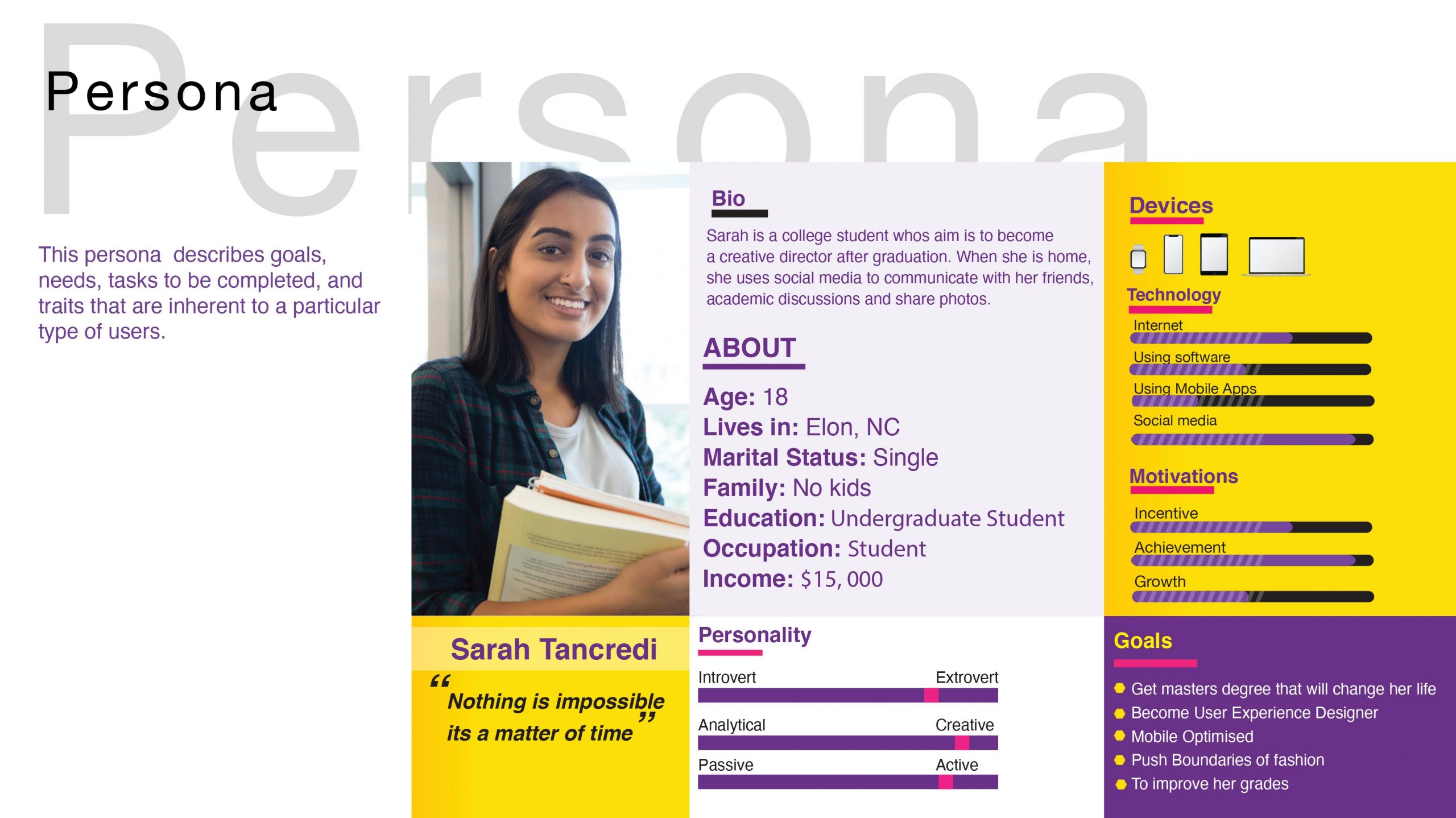
In essence, a user persona is a constructed fictional character used by designers to depict a user stereotype. It embodies the typical user’s objectives, incentives, challenges, and abilities, as well as demographic and educational information. Developing this persona assisted me in determining the target audience, which ultimately narrowed down to college students aged 18-30.
In summary, user personas are a powerful tool that can help designers create solutions that are more likely to be successful by better understanding the needs, behaviors, and preferences of their intended users.
Information Architecture
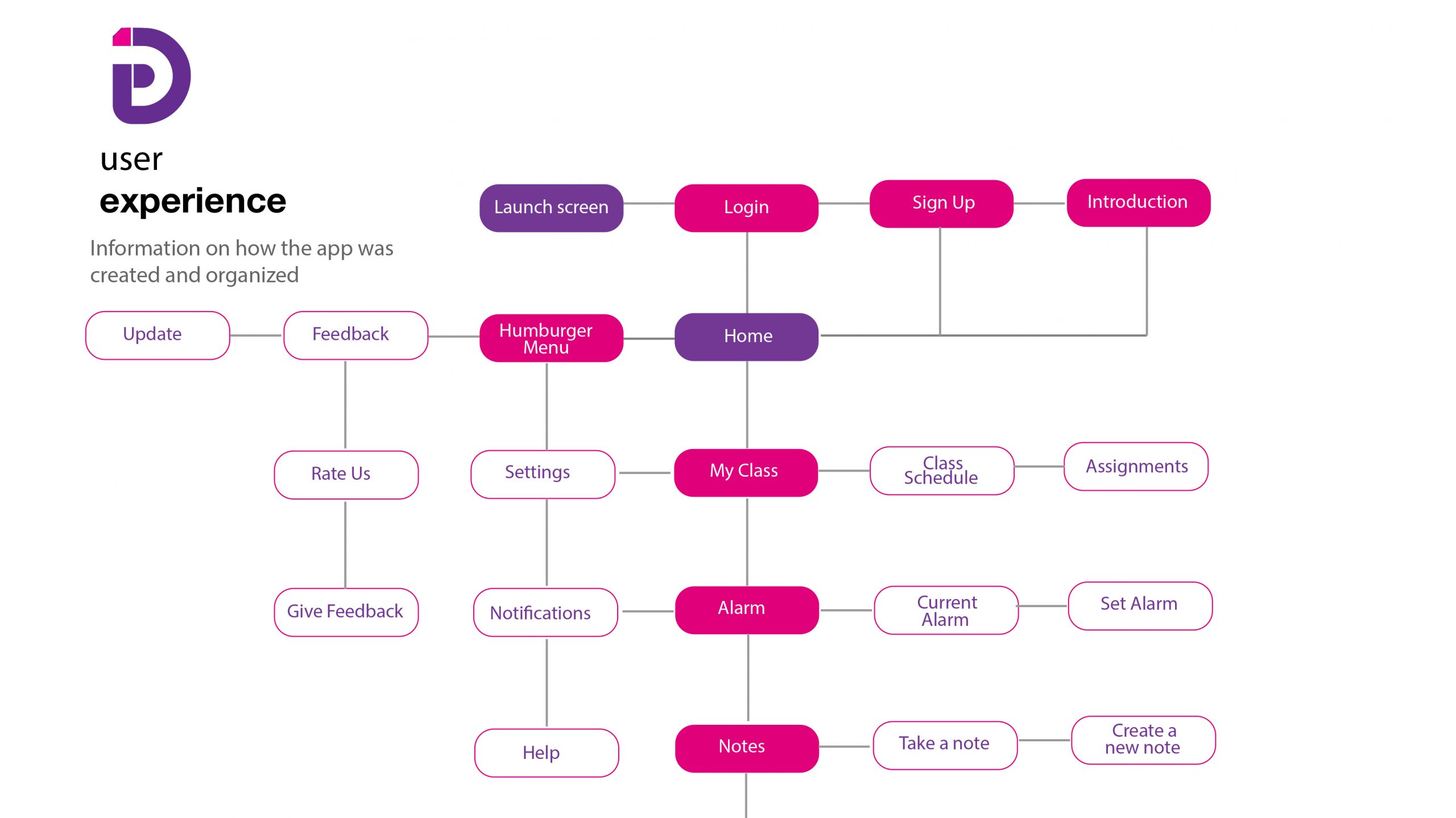
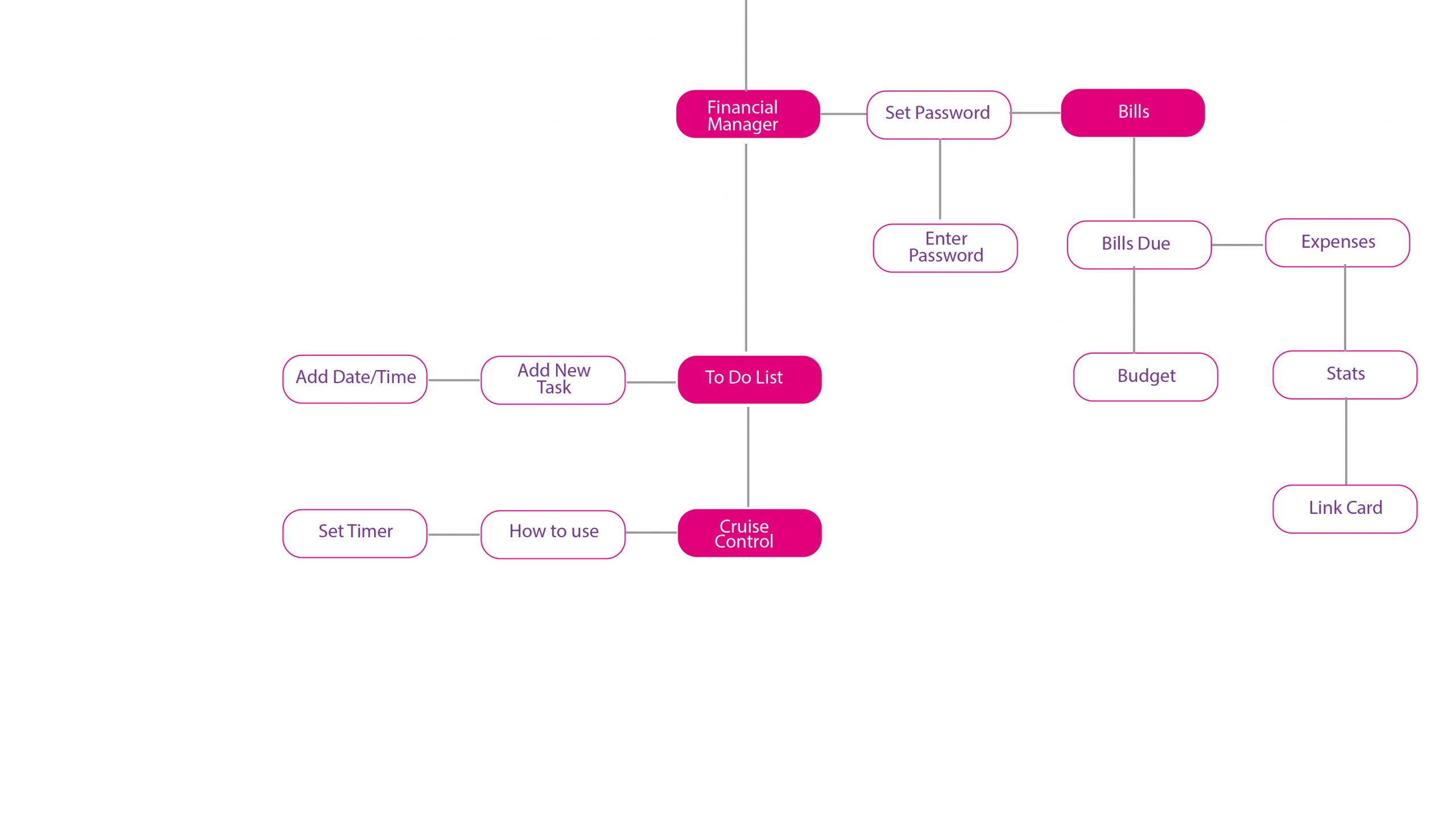
Crafting a user or experience map involves plotting the journey a user undertakes to accomplish a particular goal. This method, also referred to as an experience map, provides a chronological representation of the user’s interactions, allowing for a comprehensive understanding of evolving contexts, motivations, challenges, and needs throughout the process.
To enhance the user experience, a card sorting methodology was employed, enabling the creation of a more meaningful and intuitive journey for the targeted user. This approach allowed for the systematic organization of information, resulting in a seamless flow within the interface. By grouping related pages
and features together, and employing an analytical understanding of user preferences, the user experience was optimized.
An illustrative example of this optimization lies in the amalgamation of class schedules and assignments into a single category due to their inherent similarities. This consolidation not only streamlines navigation but also caters to the user’s cognitive process, presenting a more cohesive and user-friendly interface. The meticulous application of the card sorting methodology facilitates the synthesis of information, ensuring a user-centric design that aligns with the user’s mental models and enhances overall usability.
Sketches/Wireframes/Prototype
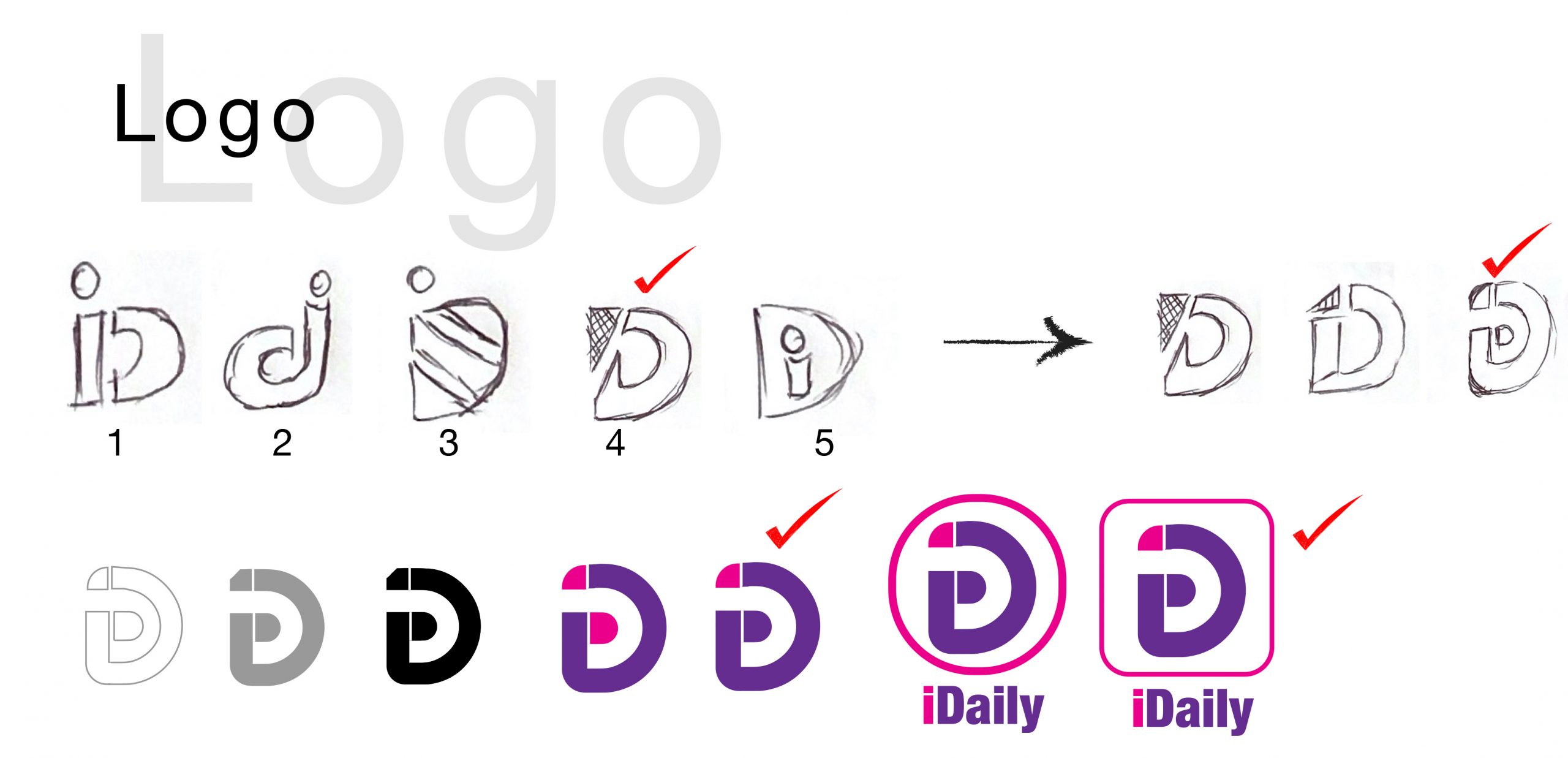
Upon the completion of the user experience map/sitemap, the natural progression led me to embark on the next phase, where I delved into crafting preliminary sketches, with a specific focus on initiating the design of the mobile app’s logo. This crucial step required a meticulous approach, considering essential elements like legibility, simplicity, and readability inherent to an effective mobile app logo.
Navigating through this design endeavor involved a systematic process, commencing with the cultivation of ideas through thorough development and brainstorming sessions. From there, the journey advanced through various stages, evolving from rough drafts to a refined final rough design. Each iteration and refinement aimed at striking the delicate balance necessary for a logo that not only captures attention but also ensures clarity and ease of interpretation.
The multifaceted nature of logo design for mobile apps necessitated a keen eye for detail, coupled with an understanding of the distinct visual demands in the mobile environment. As I progressed through the creative stages, the goal remained to encapsulate the essence of the app in a visually compelling and instantly recognizable logo.
In essence, the creative journey unfolded through the stages of idea conception, refining through the rough stages, and culminated in the presentation of the final logo design. This comprehensive process ensured that the logo not only aligned with the overall user experience map but also met the specific criteria essential for a successful mobile application brand identity.
Low Fidelity Prototype
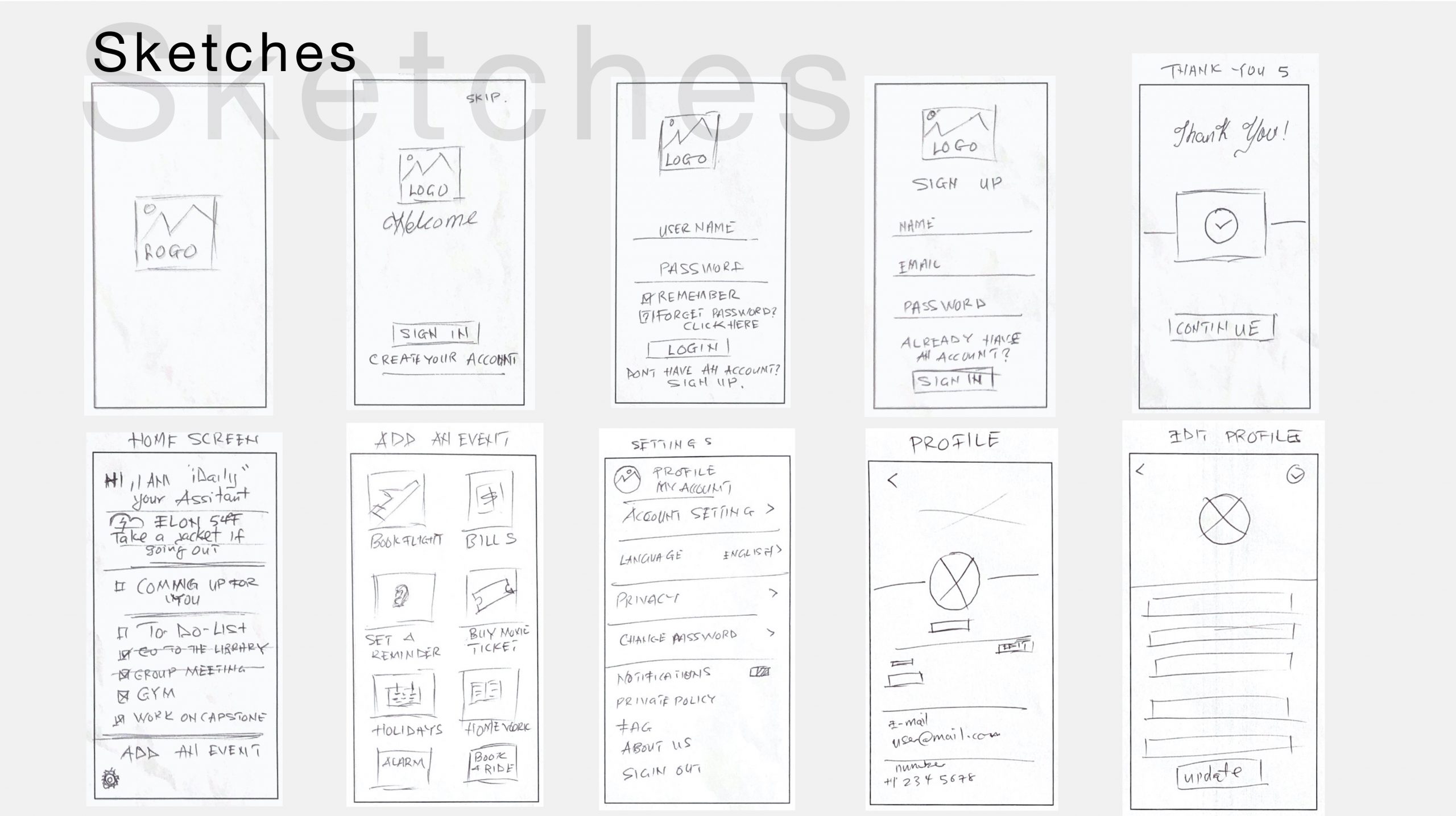
The next step was low fidelity prototyping which is basically a rough guide to allow the designer to get to feel how and where they should get the content. This helped me to check functionality rather than the visual appearance to the app.
Wireframes/ interaction design
I used wireframes in the development process to help me establish the basic structure of various pages of the design. This stage is basically an improvement of the low-fidelity which allows interaction. I used Adobe Xd which is a great tool for prototyping.
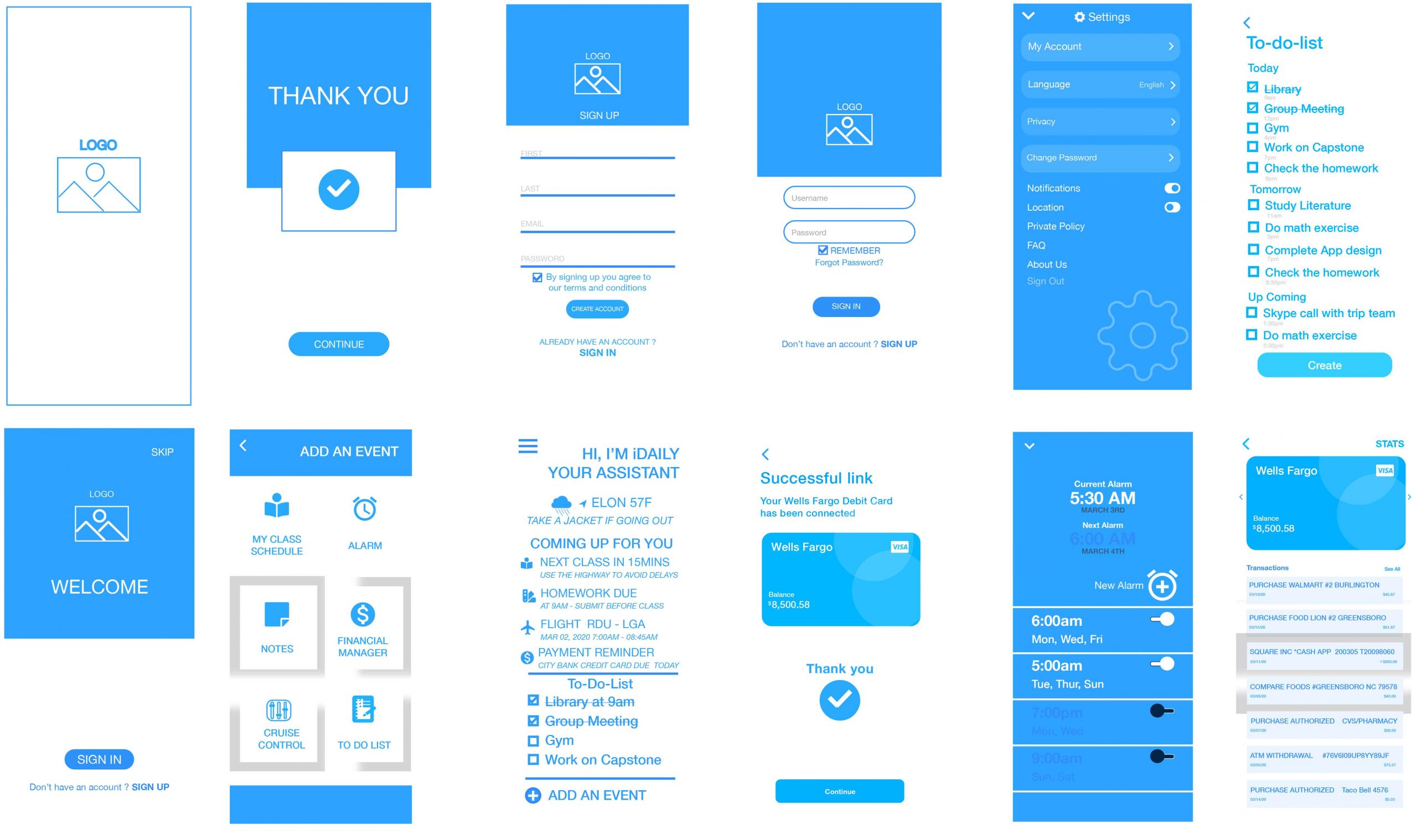
From wireframes, the next stage was to add interaction and color to the design to help evaluate the design. Adding interaction aims to showcase clickable areas, transitions, and events. By so doing help me to test the app without writing a single code.
Onboarding